
AR Character: Viral Fun Filter
Piontech StudioEntertainment
3.41.00 Reviews
- Version
- 1.0.6
- Installs
- 500.00K
- Age Rating
- Everyone
Screenshots
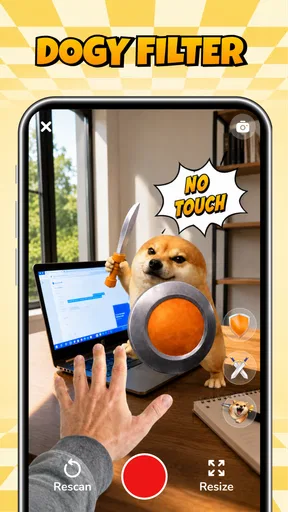
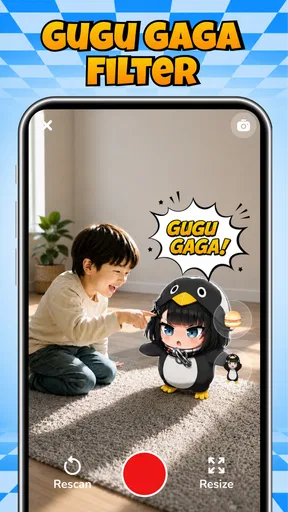
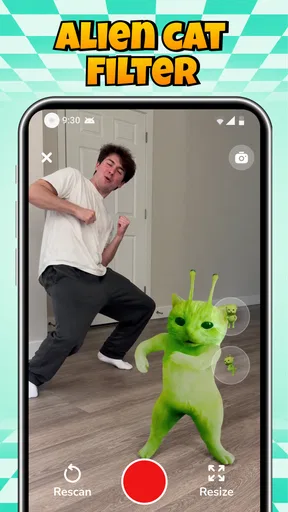
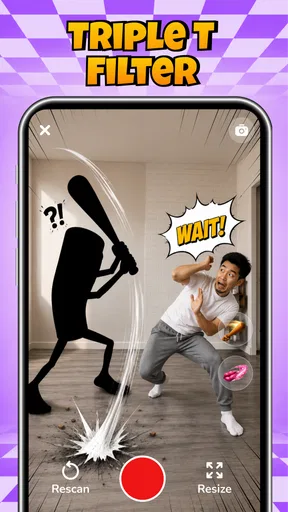
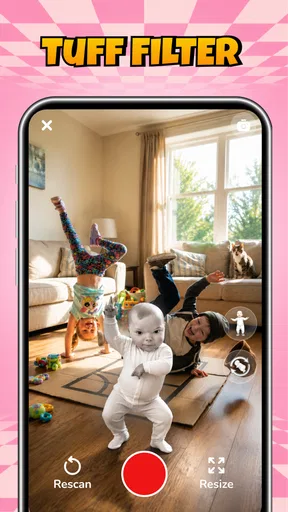
Our Review of AR Character: Viral Fun Filter
 Analysis by Appyee
I tried AR Character: Viral Fun Filter as a lightweight entertainment app, and my first impression was that it is aimed at one simple moment: point your phone at a scene, add a playful dog character, and turn an ordinary clip into something worth sending to friends. It is free, rated for Everyone, and published by Piontech Studio. The idea is easy to understand, but the experience depends heavily on getting past the small setup problems that often affect camera-based apps.
This is not the kind of app I would choose for editing a polished social video from start to finish. I see it more as a quick creative toy for a group chat, a family joke, or a short reaction clip. The appeal comes from the immediacy of the AR effect rather than from a large editing toolkit. When the camera recognizes the scene properly, the result can be amusing within moments. When it does not, the app can feel less entertaining because there is little reason to stay around while troubleshooting.
Getting past the first points of friction
The most common place I would expect a new user to hesitate is the transition from opening the app to actually seeing the character on screen. With an augmented-reality filter, the phone needs a usable view of the surroundings, and a dark room, reflective surface, or visually empty area can make the effect seem unresponsive. My practical advice is to begin in a bright room with a clear, ordinary surface rather than testing it in a dim hallway or against a plain wall.
I also found that patience matters during the first attempt. Moving the phone rapidly can make it difficult to tell whether the effect has failed or simply needs a moment to settle. I prefer to hold the device still, aim at a surface with visible detail, and then make small movements. That simple change gives the app a better chance to establish the scene and makes it easier to judge whether the problem is the filter or the surroundings.
Another point that can confuse people is the difference between creating a filter scene and recording a finished video. The app is built around playful AR content, so I would not approach it expecting the same sequence of tools found in a full mobile editor. The efficient workflow is to set up the scene first, check how the dog character appears, and only then capture the moment. Trying to improvise everything while recording usually produces a less natural result.
The best results come from treating the effect as a live performance, not as a conventional editing project. I found that a short setup pause is useful. It lets me choose the camera angle, decide where the joke will happen, and avoid wasting a take because the character is partly outside the frame. That is especially helpful when the intended audience is a friend who will watch the clip quickly on a phone.
Simple checks before blaming the filter
Before using the app for a planned prank, I would run through a few basic checks. The phone should have enough free space for temporary camera work, the lens should be clean, and other camera-heavy apps should be closed if the device is struggling. These are ordinary preparations, but they matter more here than they would for a static entertainment app because the experience depends on a live camera view.
The app supports devices running Android 9 or newer, so compatibility is an important first check for Android users. A compatible operating system does not guarantee identical performance across every phone, though. Camera quality, available memory, and the way a manufacturer handles background activity can all affect how smooth an AR experience feels. If the app opens but the effect behaves inconsistently, I would test it after restarting the phone rather than immediately assuming the installation is damaged.
It is also worth checking that the intended camera is being used. If the scene appears reversed, framed incorrectly, or simply does not match what you expected, switching between the available camera views can clarify whether the issue is an orientation problem. I would make that adjustment before recording, because correcting the framing afterward is much harder than setting it correctly at the start.
For a group activity, I recommend doing one private test clip first. This is not about judging the final quality in a professional sense; it is about confirming that the character appears where you want it and that the people in the scene are visible. A ten-second rehearsal can prevent a longer, more complicated take from failing because the camera was pointed too low or the background was too dark.
A recovery routine when the scene does not behave
If the dog character does not appear, I would avoid tapping repeatedly and moving the phone at the same time. Instead, I would stop, return to a brighter area, point at a surface with clear visual features, and hold the device steady. This gives a cleaner way to identify whether the issue is scene recognition, camera framing, or a temporary pause in the app.
If the image freezes or the app becomes sluggish, my next step would be to close it completely and reopen it. After that, a phone restart is a reasonable general fix. I would not jump straight to reinstalling, because that is more disruptive and does not address a poor lighting setup or an overloaded device. Testing the camera in a different room is often more informative than repeating the same failed attempt in the same conditions.
When a recording does not look right, I would first review the positioning rather than assume the saved result is unusable. The character may be present but partly hidden by a person, furniture, or the edge of the frame. A lower camera angle can also make a playful effect feel disconnected from the people in the shot. I get better results by leaving a little extra space around the intended action and trimming my expectations toward a short, clear gag.
There is a useful distinction between a technical failure and a disappointing creative result. If the effect loads but the video feels flat, the solution is usually a better setup: stronger expressions, a more deliberate reaction, or a background that does not compete with the character. Restarting the app will not improve a joke that needs clearer timing. In my experience, the most effective recovery is sometimes to change the scene rather than to keep forcing the same one.
Making the filter work in everyday situations
A realistic use case is a quick message to friends after something mildly funny happens at home. I might place the phone on a stable surface, frame one person in the foreground, and have another person enter the shot with a planned reaction to the dog character. The important part is keeping the action simple. A short reveal is easier to understand and less likely to expose tracking or framing problems than a busy scene with several people moving at once.
For children or family use, the Everyone rating makes the concept approachable, but I would still supervise younger users during recording. The age rating describes the intended content level; it does not replace ordinary guidance about filming people, sharing clips, or handling a phone near furniture and other obstacles. I would ask permission before recording someone for a prank, particularly if the clip might be forwarded beyond the original group.
Another practical use is a themed reaction clip rather than a full story. The dog character can add a visual punch to a greeting, a playful complaint, or a response to an inside joke. Keeping the message focused helps the effect remain the star. If I need captions, music, multiple cuts, or careful pacing, I would capture the AR moment and then move to a separate editor, assuming that workflow suits the way the clip is saved on the device.
That separation is one of my more useful tips: use this app for the distinctive camera moment, not for every stage of production. It reduces pressure on the app and makes the creative process clearer. The AR scene only needs to be good for a few seconds; a dedicated editor is usually better at arranging several moments afterward.
When the phone or environment is the real problem
It is easy to blame an AR app when the camera preview looks poor, but the surrounding conditions can be responsible. A smudged lens softens the image, backlighting can hide faces, and a crowded background can make the character harder to notice. I would test with the main light behind the phone rather than directly behind the subject, then simplify the scene before changing anything more complicated.
Performance can also vary when the phone is hot, nearly full, or busy with other tasks. In that situation, I would let the device cool, close unused apps, and try again. If the problem happens only in one location, that points toward the environment rather than the filter itself. If it happens everywhere after a restart, checking whether the device meets the Android 9 minimum and whether the current installation is up to date would be sensible.
The current version is 1.0.6, and I would keep it updated through the normal app store process when an update is available. Updates can improve compatibility, but I would not promise that they will solve every camera issue. A phone with limited resources may still provide a less fluid experience than a newer model, even when both meet the minimum operating-system requirement.
There is also a social side to troubleshooting. If a friend cannot see the intended effect in a clip, the issue may be compression or the viewing context rather than the original capture. I would watch the saved video directly on the phone before deciding whether to record again. If the original looks correct but a shared copy does not, I would try sending a shorter version or using the sharing method that preserves the clip more reliably.
How it compares with ordinary entertainment alternatives
Compared with a standard camera app, this experience is more immediate and more playful, but less flexible. A normal camera gives me dependable framing and recording, while the AR filter gives the scene its character. If I simply want a clear family video or an important memory, I would choose the regular camera. If I want a quick visual joke that would feel too plain without an effect, this app has a stronger reason to exist.
Compared with a full social-video editor, it is narrower. Editing apps usually offer more control over cuts, sound, text, transitions, and timing. They are better for a planned short-form video with several layers. The advantage here is that I do not need to build the effect manually. The trade-off is that I have less control over how the character behaves and how the finished moment is shaped.
It also differs from games because there is no need for a long progression loop to justify opening it. I would use it in bursts, perhaps when friends are together or when I want to make a quick message more memorable. People looking for a deep entertainment app with repeated challenges may find the experience too limited, while casual users may appreciate that it does not demand a large time commitment.
The audience size suggests that the concept has reached a substantial number of Android users, with over half a million installs, but the average rating of 3.4 shows that the experience is not universally smooth. I read that combination as a useful warning: the idea is accessible enough to attract attention, yet camera behavior and expectations may affect satisfaction. I would install it for occasional creative use, not because I expect the consistency of a mature editing suite.
Who should use it, and who should skip it
I think it suits people who enjoy sending short visual jokes, parents looking for a simple family-friendly effect, and casual creators who want an unusual camera moment without learning a complicated editor. It is especially appropriate when the goal is spontaneity. A friend’s reaction, a funny entrance, or a brief greeting can benefit from the character more than a carefully scripted production would.
I would skip it if my main goal were professional-looking social content, precise control over animation, or reliable results in difficult lighting. I would also choose another tool if I need a large collection of effects, advanced audio editing, or a complete publishing workflow. The free price removes the financial barrier, but it does not remove the time cost of testing the camera and repeating a take when the scene does not cooperate.
Privacy and courtesy should guide the prank angle as well. I would avoid recording strangers, embarrassing someone who has not agreed to participate, or turning a private moment into a public post. The safest use is a clearly playful clip shared with people who understand the joke. That approach keeps the entertainment value without making the app responsible for a social situation it cannot control.
My practical verdict after using it
AR Character: Viral Fun Filter is a focused entertainment app rather than an all-purpose video tool. I like the directness of the concept: open it, find a workable scene, add the dog character, and capture a moment that feels more playful than a normal camera recording. Its strongest quality is speed when the environment is suitable.
My reservation is that the fun depends on several small conditions lining up. Lighting, framing, phone performance, and the user’s willingness to rehearse all matter. The app is not the right answer for every video, and I would not recommend it as a replacement for a normal camera or a full editor. Still, for a free, casual AR experiment, it can earn a place on the phone if you use it with realistic expectations.
The most reliable approach is to prepare the scene, hold the phone steady, make a short test, and keep the final idea simple. If the effect fails, change the lighting or background before assuming the installation is broken. If the clip works but needs polish, finish it elsewhere. With that workflow, the app becomes a useful little source of comic moments rather than a frustrating attempt to force a complete production tool into a filter.
For me, that makes it worth trying for friends and families who want quick, harmless fun. I would recommend it selectively, especially to Android users on a compatible device who enjoy experimenting with camera effects. I would not recommend it to someone seeking dependable, high-control video creation. Its value is in the brief surprise it adds to an ordinary scene, and that is exactly how I would use it.
Verdict
Strengths of AR Character: Viral Fun Filter
- Easy-to-use interface for creating AR character videos
- Offers playful effects suitable for social media content
- Real-time camera preview makes effects easy to test
- Works well for quick, casual entertainment
- Provides creative options for personalizing short clips
Limitations of AR Character: Viral Fun Filter
- Some effects may require in-app purchases or subscriptions
- Tracking can become unstable in low light or busy scenes
- AR results may vary between different phone models
- Exported videos may include branding or reduced quality
- Frequent use can drain battery and increase device heat
Similar Picks in This Category
View All
Google Play Games
Google LLC3.9

Netflix
Netflix, Inc.4.8

YouTube Kids
Google LLC4.2

Disney+
Disney4.4

Prime Video
Amazon Mobile LLC4.7

Steam
Valve Corporation3.2
Frequently Asked Questions
What is AR Character: Viral Fun Filter?
AR Character: Viral Fun Filter is a camera-based entertainment app that lets you add animated augmented-reality characters, effects, and viral-style filters to photos and videos. After granting camera access, you can preview effects in real time, adjust the framing, and capture content for sharing. The available characters and tools may vary depending on the app version and device compatibility.
How do I use AR Character: Viral Fun Filter to create photos or videos?
Open the app, allow the requested camera permissions, and browse through the available character or filter options. Select an effect and point your camera at a suitable subject or background; the app should place the AR element over the live preview. When the result looks right, use the capture button to take a photo or hold it to record a video, then save or share the finished content.
Does AR Character: Viral Fun Filter require an internet connection?
An internet connection may be needed when downloading the app’s effects, loading advertisements, updating the filter catalog, or sharing content through online platforms. Some previously loaded filters might work offline, but this is not guaranteed for every character or feature. For the smoothest experience, use a stable Wi-Fi or mobile-data connection and check your data usage if the app frequently refreshes its content.
What permissions does the app request, and is my privacy protected?
Because AR Character: Viral Fun Filter works through the camera, it will normally request camera access and may also ask for permission to use the microphone when recording videos with sound. Storage or photo-library access can be required to save creations. Review each permission before accepting, deny anything unnecessary, and check the app’s privacy policy to understand how captured media, device information, and usage data may be handled.
Which phones can run AR Character: Viral Fun Filter, and what should I do if it performs poorly?
Performance depends on your phone’s operating system, camera hardware, available memory, and the complexity of the selected AR effect. Newer Android and iOS devices generally provide better tracking and smoother previews, while older phones may experience lag, overheating, or limited filter support. Keep the app and operating system updated, close background apps, use good lighting, and confirm the store’s compatibility requirements before downloading.
